
Lagom: Fast VPN Proxy
Lagom ProductsTools
4.2497.00 Reviews
- Version
- Varies With Device
- Installs
- 10.00M
- Age Rating
- Everyone
Screenshots


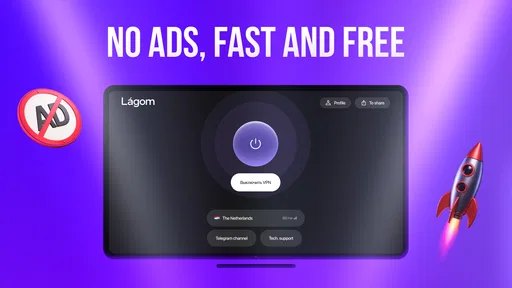
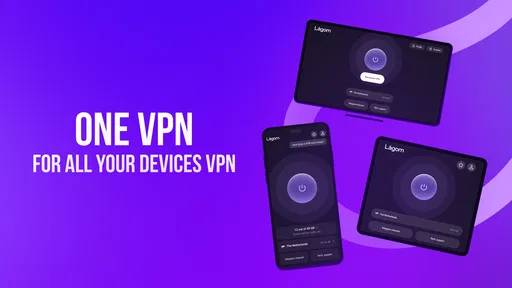
Our Review of Lagom: Fast VPN Proxy
 Analysis by Appyee
When a VPN app promises to make public Wi-Fi, video, gaming, work, and social media feel safer, the real test begins after installation. I looked at Lagom: Fast VPN Proxy as a practical tool rather than judging it by its short “Lagom” store label. My first impression is that it is aimed at people who want a quick connection switch without turning network privacy into a technical project. That simplicity is useful, but it also means you need to understand what a VPN can and cannot fix before blaming the app for every slow page or failed login.
Lagom: Fast VPN Proxy comes from Lagom Products and sits in the tools category. It is free to install, with optional in-app purchases ranging from $2.49 to $27.99 per item. The app is rated for Everyone and works on Android 8.0 or later. Its popularity is substantial, with over 10 million installs and a 4.5 average from around 167 thousand ratings. Those figures suggest that the basic idea is easy for many people to use, although popularity alone does not guarantee that it will suit your network, location, or daily habits.
Where the experience usually gets stuck
I find that VPN trouble is easiest to understand when I separate the first connection from what happens afterward. This section looks at the moments where a person can mistake an Android prompt, a Wi-Fi sign-in page, or a slow route for a broken app. Once those common snags are clear, the next section turns to a setup order that makes the first test fairer.
The first connection is not always the whole setup
The most common point of friction with a VPN proxy is the moment Android asks for permission to create a VPN connection. That system prompt can feel more serious than an ordinary app permission because it affects network traffic. It is not a sign that the installation failed. It is the operating system confirming that Lagom can route traffic through its VPN connection. If you cancel that prompt, tapping the connect button again may simply bring you back to the same decision.
I would also avoid testing the app while several network changes are happening at once. If your phone is moving between mobile data and Wi-Fi, or if the Wi-Fi network requires a browser sign-in, the connection can appear unreliable even when the app itself is working normally. Connect to the network first, complete any public hotspot login page, and only then start the VPN. This small order-of-operations change prevents a surprisingly confusing loop.
Another sticking point is expecting the first server or route to be ideal for every activity. A connection that feels fine for reading social posts may be less comfortable for a video call or an online game. VPN traffic takes an additional path, so distance, congestion, and the service you are accessing all matter. Lagom may improve privacy on an untrusted network, but it cannot guarantee lower latency or faster streaming than an ordinary connection.
What the app is actually useful for
For me, the clearest everyday use is a short session on a network I do not control. Imagine working from a café, checking a work dashboard, sending messages, and then browsing social media before leaving. I would open Lagom before handling anything sensitive, allow the VPN connection, and keep an eye on whether the Android VPN indicator remains active. When I finish, I would disconnect rather than leave the tunnel running without a reason, especially if battery life or speed matters.
That workflow is different from treating a VPN as a magic shield. It does not make a suspicious website trustworthy, remove the need for strong account passwords, or protect you from voluntarily entering information into a phishing page. It can be a useful layer when the local network is unfamiliar, but safe browsing habits still do most of the work.
The app also makes sense for people who regularly move between home Wi-Fi, office networks, hotels, and mobile data. A dedicated VPN tool is easier to remember than manually changing network settings each time. On the other hand, someone who only uses a private home network and does not need a VPN-specific connection may gain little from keeping one active all day.
Why speed expectations need adjusting
The word “fast” in a VPN name should not be read as a promise that every connection will be faster than normal internet access. Encryption and rerouting can add overhead. A nearby, lightly loaded route may feel perfectly comfortable, while a busy route can make video buffering, downloads, or games less responsive. If a page is slow only after connecting, disconnect briefly and compare the same task on the original network. That simple test tells you whether the VPN path is involved.
Gaming deserves particular caution. Privacy can be valuable when playing on shared networks, but competitive games are sensitive to delay and sudden route changes. I would use the app for account access or casual play on public Wi-Fi, then avoid assuming it is the best choice for ranked matches. If responsiveness is your top priority, a stable direct connection or a specialist service with clearly documented routing controls may be better.
Setup checks that prevent avoidable problems
Before I judge a VPN on speed or reliability, I want the phone’s ordinary connection to be working and any competing network tools to be out of the way. A repeatable start also helps people who rely on larger text, screen readers, or a steadier pace avoid having to rush through a confusing sequence. The following checks focus on preparing the device and network without changing more settings than necessary.
Start with a clean network sequence
My preferred setup is deliberately boring. I connect to Wi-Fi or mobile data, confirm that an ordinary webpage loads, open Lagom, and approve the Android VPN prompt. If the connection does not establish, I do not immediately reinstall the app. I first turn off any other VPN connection, private DNS configuration, or network-filtering tool that might compete for the same traffic path. Android generally handles one active VPN more predictably than several network-control tools trying to work together.
If you are on public Wi-Fi, finish the network’s sign-in process before opening the VPN. Some hotspots show a terms page or access form only when the connection is unprotected. Starting the VPN too early can prevent that page from appearing, leaving you with a VPN that looks active but no usable internet access. Disconnecting temporarily, completing the hotspot login, and reconnecting is a safer troubleshooting step than repeatedly tapping the same button.
Battery-saving settings can also interfere with long sessions. Android may restrict background activity when an app is considered inactive, particularly on devices with aggressive manufacturer-specific power controls. If the VPN disconnects after the phone sleeps, check the system’s battery settings for Lagom and test again. I would make the smallest change necessary rather than disabling battery management for every application.
Check the phone before judging the VPN
Before deciding that Lagom is broken, test the underlying connection without it. If ordinary browsing fails while disconnected, the issue is probably the hotspot, router, mobile signal, or captive portal. Restarting Wi-Fi, moving closer to the access point, or switching temporarily to mobile data can separate a network problem from an app problem.
It is also worth checking whether only one service is failing. A streaming platform, workplace portal, bank, or game may reject traffic from a VPN route for its own security reasons. If other websites work but one service does not, repeatedly reconnecting may not help. In that situation, use the service’s normal connection if you trust the network, or follow the service’s support guidance. A VPN cannot force a third-party platform to accept every route.
Keep the Android version requirement in mind as well. Lagom supports Android 8.0 and later, so a device below that level is not a suitable installation target. On supported phones, make sure the operating system itself is not waiting for a restart or behaving unusually after a recent network update. Basic system maintenance often resolves connection oddities that initially look app-specific.
Understand the free and paid decision
Because the app is free to install, I would begin with a real use case rather than paying immediately. Try it during the situations that matter to you: a hotel network, a café connection, or a short work session. Notice whether the connection is stable enough, whether your important services still work, and whether the speed trade-off is acceptable. That tells you more than a generic promise about fast browsing.
Optional purchases are available inside the app, from $2.49 to $27.99 per item. I would treat those purchases as a convenience decision, not as a repair step. If the basic connection fails because a hotspot has not been authenticated or another VPN is active, paying will not correct the underlying setup. First establish that the app works for your device and network; only then consider whether an upgrade offers value for your particular routine.
Use a repeatable connection check
A useful habit is to keep a tiny mental checklist: can a normal page load before connecting, does Android show the VPN indicator afterward, and do two unrelated services work through the connection? This avoids judging performance from one unusually slow website. I would also note whether the problem appears only after the phone sleeps, only on one Wi-Fi network, or only when switching between Wi-Fi and mobile data. Patterns are much more useful than repeated guesses.
Do not confuse a VPN indicator with a guarantee that every application is behaving perfectly. The indicator tells you that Android has an active VPN connection, while an individual app may still have its own login failure, server outage, or compatibility rule. That distinction is one of the most important practical lessons when using any VPN proxy, including this one.
Recovering a workflow when something fails
A failed connection does not have to end the task, but guessing at several causes at once can make recovery harder. I would narrow the problem by checking whether it follows one network, one service, or the phone itself, then make a single change and test again. The next section walks through that kind of recovery when browsing, a login, or performance goes off track.
When connection attempts keep looping
If Lagom appears to connect and then returns to a disconnected state, I would stop pressing connect for a moment. Disconnect any competing VPN, switch networks once, and retry from a stable connection. If the issue happens only on one Wi-Fi network, test mobile data or another trusted network. A successful test elsewhere points toward the original network rather than proving that the app is universally unreliable.
Restarting the phone is not glamorous, but it can clear a stuck network session. After restarting, I would open only the necessary network apps, connect normally, and try Lagom again. If the phone has a work profile, security software, or another traffic-filtering utility, those tools may apply their own rules. In that case, changing several settings at once makes the result harder to understand, so I would test one adjustment at a time.
When browsing stops after the VPN connects
This is often a captive-portal problem. Public Wi-Fi may report that you are connected to the router while still blocking internet access until you accept its terms. Disconnect the VPN, open a browser, complete the hotspot page, and reconnect. If that does not work, forget and rejoin the Wi-Fi network or try mobile data to see whether the issue is limited to that access point.
Another possibility is a DNS or filtering conflict. If you use a custom private DNS service, parental-control filter, ad blocker, or security application, temporarily testing without that extra layer can reveal the conflict. I would not permanently remove a security tool just to make a VPN work. The better choice may be to keep the protection you trust and use Lagom only in situations where the two systems coexist reliably.
When one app refuses to work
A single blocked service does not automatically mean that the VPN connection is down. Financial services, corporate systems, streaming platforms, and multiplayer games may treat VPN traffic differently. Try a harmless website and another ordinary app. If those work, the failing service is likely applying its own access rule or experiencing a separate outage.
For work, I would be especially careful. If your employer provides a required corporate VPN or security client, Lagom should not replace it. Two VPN systems can conflict, and a personal proxy may not provide access to internal resources. Use the company’s approved connection for company systems, and reserve Lagom for personal browsing when that arrangement is permitted.
When performance drops suddenly
Performance can change without any new installation or setting because the network environment changes. A crowded café, weak hotel signal, busy mobile cell, or distant route can all create delay. Compare the same activity with Lagom disconnected, then reconnect and repeat it once. If the difference is large, try another available route or postpone high-bandwidth tasks until you are on a stable private connection.
For video, allow a little time for the stream to settle before deciding that the connection is unusable. For gaming, judge the experience by responsiveness rather than download speed. For messaging and ordinary browsing, modest overhead may be acceptable if the privacy benefit matters to you. These are different trade-offs, and one universal speed verdict would be misleading.
When the app is not the cause
Even a well-configured VPN depends on the phone, network, and destination service working together. I find it helpful to test the same activity with and without the VPN before deciding what needs attention; that comparison can prevent unnecessary resets or purchases. The following section draws a line between app-related friction and problems that call for a different fix.
Network quality still matters most
A VPN cannot repair weak signal strength, overloaded Wi-Fi, a failing router, or an internet provider outage. If the connection drops with and without Lagom, focus on the network first. Move closer to the router, restart the access point if it is yours, or test another connection. This is also why I would avoid reviewing the app based on a single hotel or airport network; those environments are unstable even before a VPN is added.
Device resources can play a role too. An older phone with very little free storage, many background processes, or an unusually hot battery may handle networking less consistently. Closing demanding apps and allowing the device to cool can make a fairer test. The fact that Lagom supports Android 8.0 or later does not mean every supported phone will deliver identical results.
Privacy has limits that are easy to overlook
Using a VPN changes who can observe parts of your network activity, but it does not make you anonymous in every situation. Websites can still recognize logged-in accounts, cookies, browser fingerprints, and information you choose to submit. A VPN also does not replace device updates, screen locks, multifactor authentication, or careful handling of suspicious messages.
I would therefore use Lagom as one layer in a sensible routine: secure accounts, update the phone, avoid unknown downloads, and be selective about networks. It is most convincing when used for a clear purpose, such as adding protection on shared Wi-Fi, rather than left on as a substitute for every other security habit.
Who should choose another approach
Lagom may not be the right fit if you need detailed enterprise controls, a guaranteed route for a particular country, specialized streaming access, or consistently low latency for competitive gaming. In those cases, a service designed around documented server selection, business administration, or gaming performance may deserve closer attention. I would also look elsewhere if your workplace requires a specific corporate VPN.
It may be unnecessary for someone who rarely leaves a trusted home network and dislikes even small changes in speed. Conversely, it is a reasonable candidate for a casual user who wants a straightforward tool instead of learning manual VPN configuration. The app’s strength is convenience; its weakness is that convenience does not remove the technical trade-offs underneath.
My practical verdict after using it
I see Lagom: Fast VPN Proxy as a useful, approachable Android tool for short, ordinary VPN sessions. Its free entry point, Everyone rating, and support for Android 8.0 and later make it accessible to a broad audience, while Lagom Products has clearly attracted a large user base. I especially like the idea of using it deliberately on shared Wi-Fi, then disconnecting when the task is finished instead of treating it as an invisible cure-all.
The app earns a recommendation when your priority is a simple connection switch and your expectations are realistic. It can add a helpful privacy layer for browsing, messaging, and routine work on unfamiliar networks. It is less convincing when the main goal is faster internet, flawless access to every service, or the lowest possible game latency. Those goals depend heavily on routing, the destination service, and the underlying network.
My advice is to test it with a controlled routine: verify the internet before connecting, complete public hotspot sign-in first, approve the Android VPN prompt, and compare more than one website afterward. If a problem appears, isolate the network, competing VPNs, private DNS, battery restrictions, and the individual service before assuming the app is at fault. That approach saves time and gives you a fair answer about whether it belongs in your daily toolkit.
For casual users, the free installation is a sensible starting point. I would not buy an in-app option simply because a connection failed once, but I would consider the available purchases if the basic workflow proves reliable and the added value matches how often I use it. In short, the best reason to use this app is controlled convenience on networks you do not fully trust, not a promise that every connection will become faster or every online problem will disappear.
Verdict
Strengths of Lagom: Fast VPN Proxy
- Simple interface makes connecting to a VPN quick and easy.
- Offers a convenient way to secure traffic on public Wi-Fi.
- Useful for accessing region-limited content while traveling.
- Connection options suit both casual users and frequent VPN users.
- Lightweight design should be easy on storage and device resources.
Limitations of Lagom: Fast VPN Proxy
- Free access may include limits on servers, speed, or usage time.
- VPN performance can vary depending on location and network congestion.
- Some features may require a paid subscription to unlock fully.
- Using a VPN can increase battery consumption during long sessions.
- Privacy details should be checked carefully before handling sensitive data.
Similar Picks in This Category
View All
Google LLC4.0

Gboard - the Google Keyboard
Google LLC4.5

Google Play services
Google LLC4.3

Google Play Store
Google LLC4.9

Files by Google
Google LLC4.5

SHAREit: Transfer, Share Files
Smart Media4U Technology Pte.Ltd.4.3
Frequently Asked Questions
What is Lagom: Fast VPN Proxy and how does it work?
Lagom: Fast VPN Proxy is a VPN application designed to route your internet traffic through a remote server, helping mask your IP address and add privacy when browsing. After opening the app, users can generally choose an available server and connect with one tap. Its performance may depend on server distance, network congestion, and the quality of your original internet connection.
Is Lagom: Fast VPN Proxy free to use?
Lagom: Fast VPN Proxy may offer a free connection option, but availability, speed, server locations, and usage limits can vary depending on the current version of the app. Some features may require in-app purchases or a subscription. Before connecting regularly, check the app’s pricing page and the Google Play Store or App Store listing for trial conditions and automatic-renewal details.
Does Lagom: Fast VPN Proxy keep my online activity private?
A VPN can improve privacy by encrypting traffic between your device and the VPN server, especially when using public Wi-Fi. However, it does not make you completely anonymous. The provider may still process connection information, and websites can identify you through accounts, cookies, or browser fingerprinting. Review Lagom’s privacy policy carefully to understand what data is collected, stored, or shared.
Will Lagom: Fast VPN Proxy slow down my internet connection?
Using any VPN can reduce connection speed because your traffic travels through an additional server and is encrypted before reaching the internet. In testing, the result can differ considerably between locations: a nearby server is usually faster than a distant one, while busy free servers may be slower. Lagom can be useful for safer browsing, but it may not deliver the same speed as a direct connection.
Can I use Lagom: Fast VPN Proxy for streaming, gaming, or accessing blocked content?
Lagom: Fast VPN Proxy may help you access services or websites that are restricted on a local network, but results are not guaranteed. Streaming platforms frequently block known VPN addresses, and some content is limited by licensing rules. VPN routing can also increase ping in online games. Use the app responsibly, follow local laws and service terms, and do not assume every server supports every activity.
